Local-first Chrome extension that captures complete web pages, restores page state, stitches frames in the browser, and adds non-destructive annotations before PNG export.
1Snap is a browser extension created to make a real workflow clearer, faster, and easier to trust. It turns a focused product idea into something people can use, evaluate, and understand without needing to inspect the source code.
Why 1Snap exists
Chrome's standard screenshot flow captures only the visible viewport, while many full-page tools add heavy editors, accounts, or cloud upload. 1Snap had to capture and mark one complete image without introducing a remote processing boundary.
The goal is not simply to add another tool. 1Snap is designed to reduce the friction around that problem and give people a more dependable way to complete the work.
What it delivers
- Users can turn a regular web page into one full-height PNG, then mark details with Marker, Highlight, or Border tools.
- Capture frames, vector annotations, image assembly, and export composition remain inside extension-owned browser storage and processing.
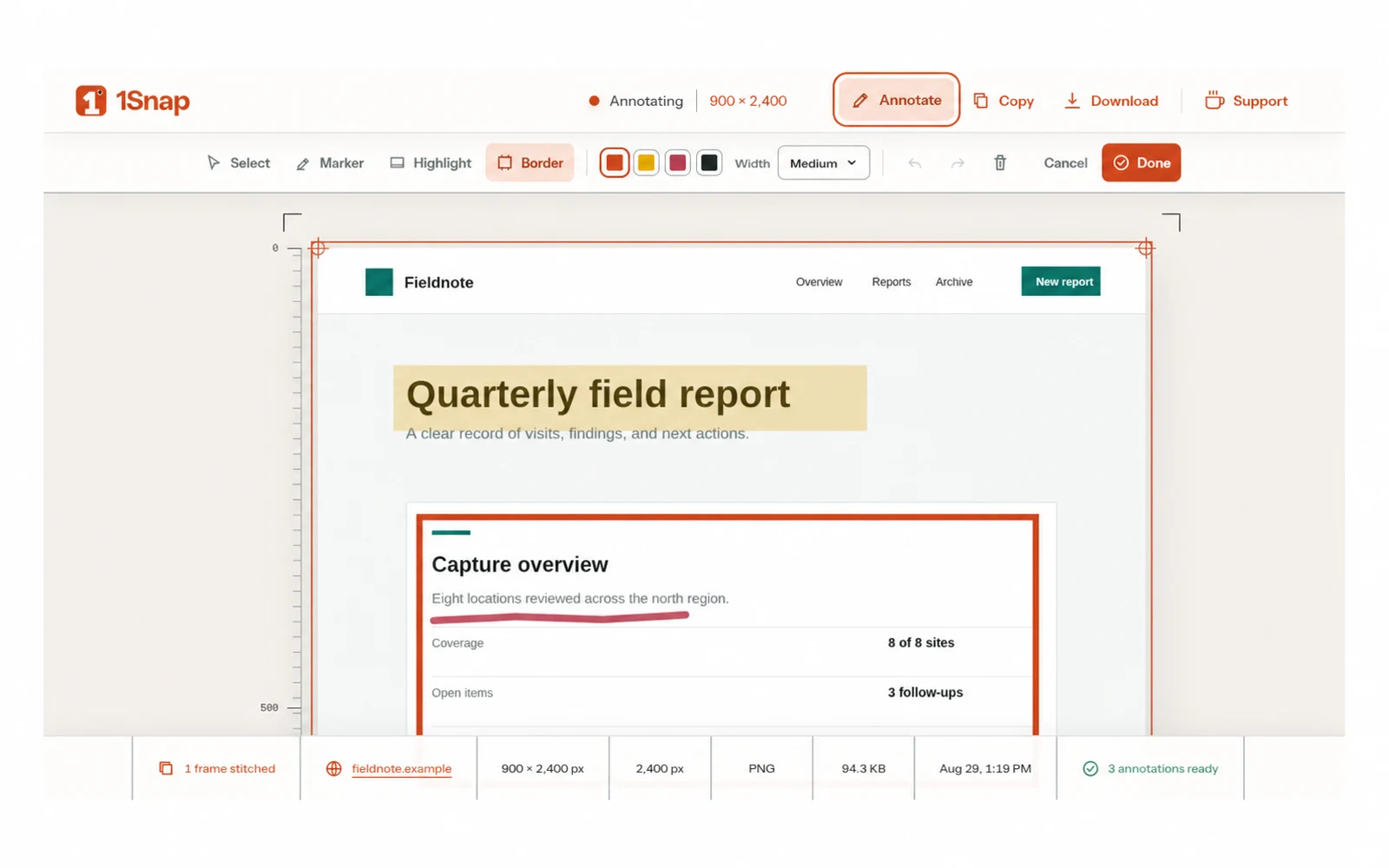
- The result page combines measured capture evidence with selection, movement, resizing, color and width controls, undo, redo, clear, copy, and download.
- Maintainers shipped v0.1.1 as a verified Chrome ZIP with a matching published SHA-256 checksum.
The experience
Local-first Chrome extension that scrolls through a complete web page, stabilizes changing presentation, stitches captured frames in the browser, and opens a measured workspace for non-destructive annotation and original-resolution PNG export.
The project brings the important parts of the workflow into one coherent experience. Its interface and behavior are shaped around the people using it, while the implementation stays focused on predictable results and honest feedback.
What to know
Every product has boundaries. These are the most important considerations for 1Snap:
- Chrome can capture only the active visible tab, so the source tab must stay active while 1Snap scrolls and records each frame.
- Dynamic content, visible images and fonts, fixed or sticky elements, and the user's original scroll position must be stabilized or restored without leaving the page altered.
- Captures are bounded to 50 frames, 16,000 by 32,000 output dimensions, and 120 million pixels, with proportional downscaling when needed; annotation geometry must stay aligned through responsive editing and original-resolution export.
These limitations are presented openly so visitors can understand where the project works well, what it depends on, and what may change in future versions.
Current status
GitHub release v0.1.1. The current release demonstrates the core value of the project and the main end-to-end experience.
My role was product design and browser-extension engineering, covering capture lifecycle, page stabilization, local image processing, annotation tooling, and release delivery. The related case study explains the decisions and delivery process in greater depth for visitors who want the engineering story behind the product.